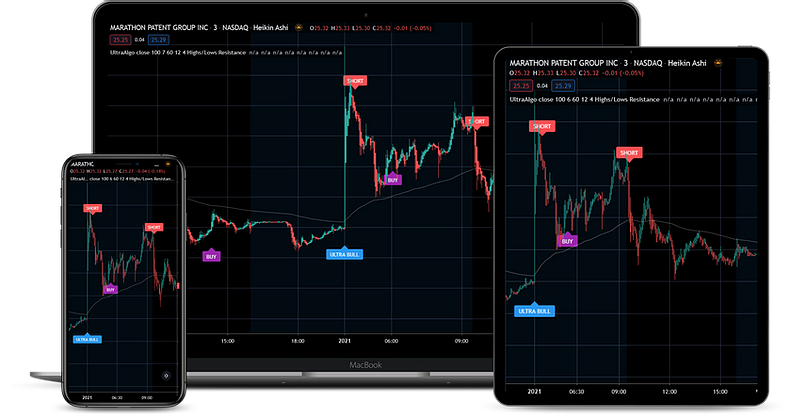
A remote desktop trading app displays and controls a Windows trading computer from another device. NinjaTrader, MetaTrader, or other desktop software runs on that computer; the app on your phone or Mac sends your input and shows the remote screen.
Use remote desktop when you need access to a particular installed workspace. If your broker’s native mobile app already covers the task, opening a full Windows desktop may add unnecessary complexity.
Choose a client for your device#
For a Windows PC, Remote Desktop Connection is built in: search for mstsc. Microsoft’s current Windows App guide covers remote PC connections from macOS, iOS/iPadOS, and Android/Chrome OS, including client downloads.
The similar app names can be confusing. Microsoft’s transition to Windows App does not mean Remote Desktop Protocol has disappeared. Select the client and connection type documented for your device.
Linux users need a compatible RDP client; follow its connection instructions and your provider’s access requirements.
Add the VPS connection#
- Add a remote PC using the VPS hostname or IP address.
- Enter the Windows account supplied for the server. A broker login will not authenticate the Windows session.
- Connect and open the installed trading platform inside the remote desktop.
- Save a recognizable connection name if you use more than one server.
The same Windows account can reconnect to its existing session, subject to server policy. This is different from synchronizing separate platform installations. For software installation, use the Windows VPS setup guide.
Mobile trading limits#
Desktop order panels can be difficult to use on a phone. Start with a readable resolution and learn the client’s pointer, zoom, and keyboard controls. Check account selectors and confirmation dialogs in simulation; a control that is obvious with a mouse may be easy to mis-tap.
A tablet or external keyboard may be more comfortable for detailed work. For Mac-specific choices, see NinjaTrader on MacBook.
Separate screen lag from a trading-platform problem#
| What you observe | What to investigate |
|---|---|
| The entire remote desktop responds slowly | Local Wi-Fi/mobile service, the route to the server, display settings, and server resource use |
| Windows responds normally but one platform is slow | That platform’s charts, indicators, history loading, and CPU/memory demand |
| The desktop works but prices stop updating | The platform’s broker/data connection and market-data access |
| The platform has prices but automation is inactive | Strategy status and permissions inside the platform |
These observations narrow the investigation; they do not prove a diagnosis. Reconnecting the remote desktop will not necessarily repair the broker connection or restart a strategy.
Leave the session available#
Disconnect the remote client when finished viewing. Signing out of Windows closes applications in that session; Microsoft documents the difference. Server restarts and session time limits can also interrupt programs.
Protect saved server credentials with your device lock and limit access to people who need the trading desktop.