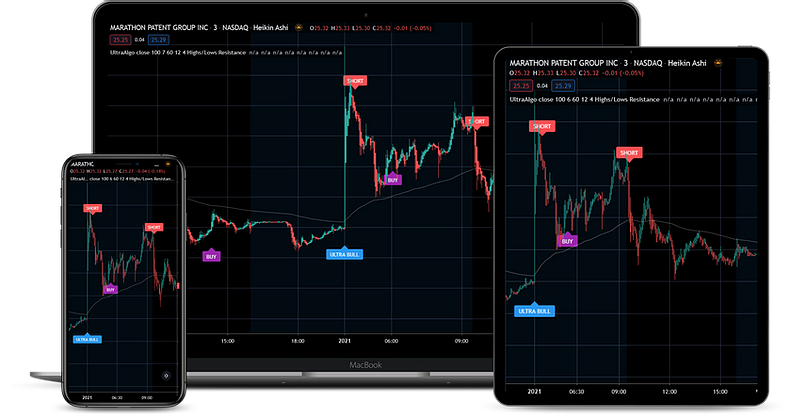
To set up Remote Desktop for your Ninja Mobile Trader VPS, save the server address and Windows login in the right client, connect, then install your trading platform inside the remote desktop. We specialize in hosting NinjaTrader Desktop on Windows, keeping your charts and add-ons in one workspace you can reach from your PC, Mac or mobile device. Before relying on it, disconnect and reconnect to confirm that you return to that workspace.
The VPS runs the software; the remote client shows its screen. For help deciding which device or access method suits your task, start with the remote desktop trading app overview.
1. Identify the server and the correct login#
Have your NMT connection details ready:
- Server hostname or IP address, including a port if the provider specifies one.
- Windows username and password, with any required domain or computer-name prefix.
- Additional access requirements, such as a provider-supplied gateway or VPN, if applicable.
Your website account, Windows login and broker credentials serve different purposes. Use the Windows credentials for Remote Desktop. Follow the provider’s password-change instructions and update saved credentials on each device afterward.
Confirm unexpected certificate or server-identity warnings with support before accepting them. If authentication fails, check the saved server and username before changing Windows or firewall settings. Microsoft’s Remote Desktop FAQ separates reachability, account access and certificate problems.
2. Add the remote computer#
Use the connection path for your local device:
| Device | Start here |
|---|---|
| Windows PC | Open Remote Desktop Connection from Start, or run mstsc. Enter the server address and select Connect. |
| Mac | In Windows App, open Devices > + > Add PC. Enter PC Name, select Add, then double-click the PC. |
| iPhone or iPad | In Windows App, select + > PC, enter PC Name, save, then tap the PC. |
| Android or Chrome OS | In Windows App, select + > PC connection, enter PC Name, save, then tap the PC. |
Microsoft’s Windows connection instructions cover the built-in client. Its Windows App guide includes current downloads and screenshots for the other devices. Select the remote PC instructions, since cloud workspaces use different setup steps.
Windows App also documents an Add a remote PC path on Windows. Use the remote-PC instructions for the client you have installed. Direct-PC connections do not require signing in to Windows App itself, but they do require the remote Windows account.
Give the saved connection a recognizable name. For platform-specific examples, see NinjaTrader on Mac and NinjaTrader Desktop on mobile.
3. Make the screen and controls readable#
Start with one display and a layout where you can read the account, quantity and confirmation controls. Add extra monitors only after the basic connection works.
On Windows, Remote Desktop Connection exposes display choices under Show Options > Display. Microsoft also documents mstsc display parameters for full screen, width, height and multiple monitors.
In Windows App on Mac, edit the saved PC and open Display. Microsoft’s display guide distinguishes two settings: Fit session to window scales the existing picture, while Update the session resolution on resize changes the remote resolution. On iPhone/iPad and Android, open the app’s settings and select Display; Android also supports custom scaling.
Use a harmless text editor to try typing, scrolling and right-clicking before touching an order panel. On touch devices, Windows App offers direct touch and mouse-pointer modes; Microsoft’s input guide shows the gestures. Check your platform’s account selector and order controls separately in simulation.
Clipboard and folder sharing are separate options. Enable only the local resources you need for migration; see Microsoft’s redirection settings. A working remote screen does not establish that file transfer is enabled.
4. Install and restore the trading workspace#
Inside the VPS, download your platform from its official site or broker-approved source. Check its supported Windows versions against the server image before moving the workspace.
Restore the required charts and settings using the platform’s supported export/import process. Install the needed indicators, copier or other add-ons, and activate any machine-specific licenses. Then configure the intended broker connection and data access. Keep the original workspace backup until the hosted setup is verified.
Open the normal chart and add-on workload together and inspect CPU and memory in Task Manager inside the VPS. For NinjaTrader, use the sizing and setup guide rather than assuming a fixed number of accounts determines capacity.
Update NinjaTrader inside the same VPS#
A NinjaTrader application update changes the installed platform; it is separate from replacing Windows or moving to another server. Manage it inside your NMT remote desktop, where the existing workspace and add-ons run.
- Check the release and your tools. Record the installed version under Help > About, plus the versions of your indicators, strategy and copier. Read the NinjaTrader release notes and each add-on vendor’s compatibility instructions for the intended release.
- Prepare a supervised window. Stop order-producing automation, account for working orders and positions, and pause tools that would relaunch or reconnect NinjaTrader. Save the workspace and create a completed archive using our NinjaTrader backup guide. Keep the live application data folder excluded from backup and sync software.
- Install on the hosted machine. In the VPS browser, use the account Download path in NinjaTrader’s official installation guide. Close NinjaTrader before running the installer. Reopen it in the same Windows user account after installation.
- Verify before resuming. Check Help > About again, then confirm the intended workspace, add-on licenses, provider connections and account IDs. Validate the changed setup in a supported simulation environment with live execution excluded. Follow your established strategy continuity procedure before returning to live automation.
Release details matter: the September 29, 2026 8.1.8.3 patch notes address missing accounts and Trade Performance results for affected prop-provider users transitioning to the new connectivity workflow. That scoped fix is not a reason to change every account’s connection settings.
If an add-on or account behaves differently afterward, preserve the exact error and version details for the relevant vendor and use our troubleshooting guide. Keep the archive intact; do not delete the database or uninstall the platform as a first diagnostic step.
5. Rehearse disconnect and reconnect#
Disconnect leaves a session available for reconnection, subject to server policy. Windows Sign out ends that session’s applications. Microsoft documents the difference and explains that disconnected-session retention depends on configured time limits. A restart can also close programs.
Run this access rehearsal before live use; it does not require submitting an order:
- In the remote desktop, open a text editor and type a recognizable test phrase. Leave it open. If checking the platform too, use a supported simulation workspace with automation stopped.
- Use the remote client’s Disconnect control, not Windows Sign out or Restart.
- Reconnect with the same server address and Windows username. Check that the open test document and intended workspace remain.
- Disconnect again and repeat from your backup device. Confirm that the keyboard, pointer and essential account controls are usable there.
- If the desktop is unexpectedly empty, check the server, username and session before launching another platform instance. Ask support whether a session limit, restart or different Windows session explains the result.
This verifies access to that workspace at the time of the rehearsal. It does not test broker reconnection, strategy recovery or uninterrupted hosting. Confirm the provider’s session and maintenance policies for the configuration you use.
If access returns but the feed does not#
A recovered remote screen is separate from a recovered trading connection. For disconnected NinjaTrader broker/data feeds, we recommend Ninja Watchdog. It automatically reconnects supported accounts, including Rithmic and Tradovate, waits for live data, and can restore interrupted strategies. It runs on the Windows machine hosting NinjaTrader and cannot repair an unavailable provider.
Check actual account, order, strategy and copier state after recovery. Use the NinjaTrader disconnect troubleshooting guide to distinguish a remote-access problem from a platform or feed problem.
Need help reaching your hosted workspace? Contact our 24/7 VPS support team with the server, device and exact error so we can investigate access to your NMT desktop.